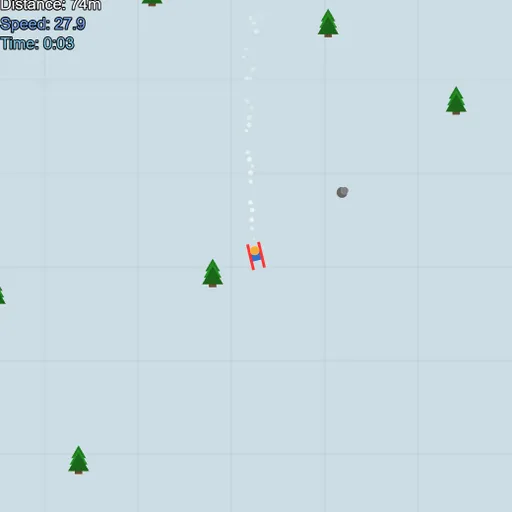
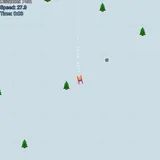
Downhill Ski is a top-down skiing game on a slope that never ends. Your skier follows the mouse pointer, speeding up when pointed downhill and slowing down when turned across the hill. Pine trees and gray rocks dot the snow, and the goal is to get as far as you can before you hit one. Downhill Ski comes from Frank Force’s open-source LittleJS Arcade, and it is a clean way to practice steering under pressure.
On the slope
Press PLAY to start at the top. Move the pointer below the skier to head down. The skier turns smoothly toward the pointer but can only face downhill, from hard left to hard right. A faint grid on the snow helps you feel your speed.
Obstacles fill in as you go. About half are trees and about a quarter are rocks, and touching either one ends the run. Snow bumps give a small hop, and rare rainbow ramps send you flying. You can also click to jump on demand.
Downhill Ski Controls
| Action | Keyboard | Mouse | Touch |
|---|---|---|---|
| Steer | — | Move the pointer; the skier turns to face it | Hold and drag a finger |
| Jump | — | Left click | Tap |
| Retry after a crash | Space, Enter or R | — | — |
| Pause or restart | Esc | Menu button in the top corner | Menu button in the top corner |
Speed, angle and reaction
The speed model is simple physics. The steeper your line downhill, the more the slope pulls you. Turn sideways and friction wins, slowing you down. Choosing your angle is choosing your speed, which makes every turn a trade between distance and safety.
Jumps add timing. A jump has a fixed hang time, so you need to start it a little before the obstacle, not when you are on top of it. Once in the air, you keep the direction you had at take-off, which means lining up before you leave the snow.
This is mostly a reaction and spatial-tracking game. You read the gaps ahead, pick a path and adjust as new obstacles appear at the edges.
Tips for longer runs
- Keep the pointer well ahead of the skier for smoother, smaller turns.
- Slow down before dense patches instead of trying to thread them at full speed.
- Jump a beat early so you land past the obstacle.
- Steer for ramps. A ramp jump carries you over everything for a while.
- Watch both edges of the screen, since obstacles come from either side.
Small Details That Help
The game works with touch by dragging a finger, but every new touch counts as a jump, so the mouse is more precise. Runs are short, which makes it easy to try again. For another sport with a moving target, try Free Throw Frenzy, or switch to a calmer pace in Mini Putt Park.
Tested and updated: