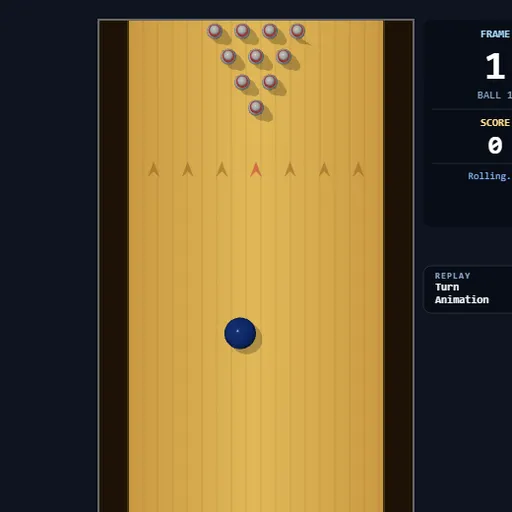
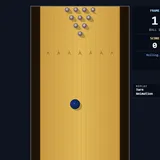
Strike Lane Bowling is a ten-pin bowling game seen from above, with a full ten-frame scorecard along the bottom. Instead of pressing a button, you use the mouse like a bowling arm: pull back to build power, then flick forward to release. Strike Lane Bowling is also a nice way to learn bowling’s scoring math, since bonus points for strikes and spares add up in a way that surprises most new players.
How to roll
Click the lane or press Enter to start. The ball waits behind the red foul line, and moving the mouse slides it left or right. Hold Space, drag down to fill the power meter, then flick the mouse up to throw.
A faster flick rolls a faster ball, and the power meter multiplies that speed. Sideways motion during the flick angles the ball and gives it spin, so it hooks as it travels. Touching the edge of the lane drops the ball into the gutter.
After a strike or a finished frame, a 3D camera replays the shot from the side. You can switch this off to bowl faster.
Strike Lane Bowling Controls
| Action | Keyboard | Mouse |
|---|---|---|
| Start or restart a game | Enter | Click the lane |
| Aim (slide the ball left or right) | — | Move left or right while the ball waits at the foul line |
| Charge power | Hold Space | While holding Space, drag down |
| Throw, add angle and hook | Keep holding Space | Flick up fast; drift sideways during the flick to curve it |
| Cancel a charged throw | Esc, or let go of Space | — |
| Turn replays on or off | — | Click the Turn Animation switch |
The math of bowling scores
Bowling scoring is a lesson in delayed bonuses. A strike in frame one cannot be scored until you roll the next two balls. A spare waits for one more ball. That means one great frame can change the value of the frames before it, and the running total only settles later.
Here is an example. A strike, then 7 and 2, scores 10 + 7 + 2 = 19 for the first frame and 9 for the second, for 28 total. A spare followed by a 5 scores 15 for that frame. Working through these sums builds quick mental addition.
Bowling tips
- Charge close to 100 percent before every throw.
- Make the flick one sharp motion. A slow drift upward wastes power.
- Learn a straight center ball first. It is the easiest shot to repeat.
- If you hook right, start a little left of center so the curve carries the ball into the pocket.
- For spares, slide in line with the leftover pins and flick straight.
- Turn replays off when practicing.
Quick Facts About This Version
You need a mouse and keyboard together, since a throw holds Space while the mouse moves. There are no touch controls. A full game of ten frames takes only a few minutes. For more sports timing, try Backyard Slugger, or line up angles in Pocket Pool.
Tested and updated: