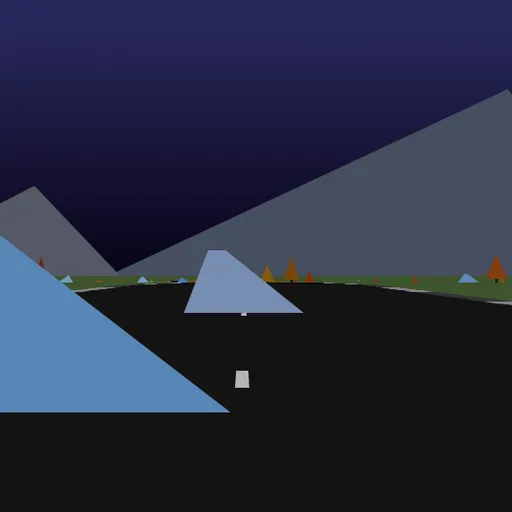
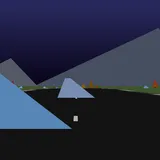
Hue Jumper is a low-poly 3D driving game where your only rival is a short clock. A random road unrolls over hills, your car gains speed on its own, and you steer with the mouse. Double-click to jump over rocks and trees. Frank Force first built it to fit in 2 kilobytes, and this is his expanded, readable version. It is a good test of timing and of reading terrain ahead.
Running Against the Clock
Click the screen to begin. The clock starts at 20 seconds. Your car accelerates whenever its wheels touch the road and you are not braking. Steer left and right with the mouse, and expect bends to pull you toward the outside.
Every 100 units of distance you cross a bright checkpoint band. It adds 10 seconds, up to the 20-second cap, and shifts the color of the whole world to a new hue. If the clock reaches zero, the car stops and the run ends.
Leaving the asphalt slows you and shakes the camera, and hitting a rock or tree wipes out most of your speed. The road starts wide and gentle, then narrows and twists more with each checkpoint until it ends at 1000.
Hue Jumper Controls
| Action | Keyboard | Mouse | Touch |
|---|---|---|---|
| Start driving | — | Click the game screen | Touch the screen |
| Steer | — | Move the mouse left or right | Hold a finger on the side you want to steer toward |
| Brake | — | Hold the mouse button | Lift your finger |
| Jump | — | Double-click | Tap quickly |
| Restart on a new road | R | — | — |
| Save a screenshot | 1 | — | — |
Timing and Anticipation
The core skill is looking ahead. Hills hide the next bend, so you learn to read the horizon and steer early. Jumps add a timing layer: you can only jump while grounded, so you have to commit before the obstacle arrives. The 20-second cap turns each stretch into a small rate problem. If a checkpoint is 100 units away, your average speed decides whether you make it.
Tips for Reaching 1000
- Recenter after every bend. Steering stays where you leave it, so move the mouse back toward the middle to straighten out.
- Brake in short taps. Every second slowed is a second off a short clock.
- Jump early. Press while you are still on the road, before you reach the rock.
- Watch the horizon, not the hood. It shows turns before you reach them.
- Restart weak roads. Each run is new, so press R if a layout starts badly.
Things Worth Knowing First
A run lasts a minute or two. The game captures your mouse pointer while you drive. For another arcade racer, try Speedway Sprint, or the downhill 3D stage in Red Rock Descent.
Tested and updated: