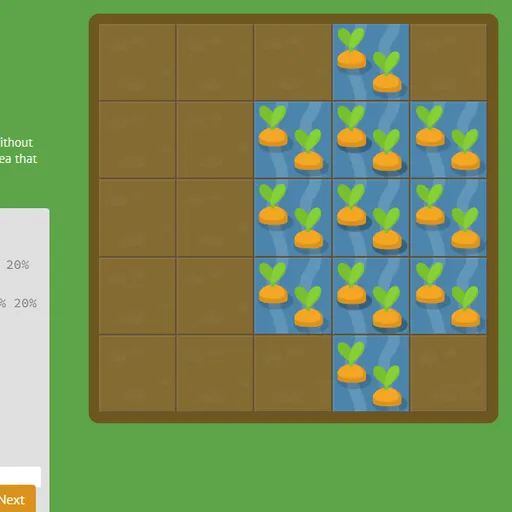

CSS Grid Carrot Patch teaches CSS grid layout using a five-by-five vegetable plot. Some squares hold carrots, some hold weeds, and you write real CSS that drops a patch of water or poison exactly where it belongs. Since the garden is a live grid container, CSS Grid Carrot Patch moves the patch as you type, so line numbers and spans click into place far faster than they do from a diagram.
Working the garden
Each level has a short lesson, a code box and the plot. Most of the stylesheet is already there, and you add the missing declarations. When the water or poison covers exactly the right squares, the Next button lights up. Press it, the plants change to show they have been treated, and a new level loads.
You can open the level counter at any time to jump around. Solved levels are marked, and the property names highlighted in each lesson show a list of the values they accept.
CSS Grid Carrot Patch Controls
| Action | Keyboard | Mouse | Touch |
|---|---|---|---|
| Type CSS | Type in the code box | — | Tap the code box and use the on-screen keyboard |
| Submit a correct answer | Enter on the last line, or Ctrl + Enter | Click "Next" once it lights up | Tap "Next" |
| Pick a level | — | Click the level counter, then a level number, or use the side arrows | Tap the level counter, then a level number |
| Read about a property | — | Point at a highlighted property name in the instructions | — |
The path through 28 levels
- Placing by line:
grid-column-startandgrid-column-end, plus negative line numbers. - Sizing by span:
span 3instead of an end line. - Shorthands:
grid-column,grid-rowand the four-valuegrid-area. - Overlap: two patches that cover some of the same squares.
- Reordering: the
orderproperty for automatically placed items. - Building the grid itself:
grid-template-columns,grid-template-rowsandgrid-template, with percentages, pixels,repeat()andfrunits.
The math in a grid
CSS grid is a coordinate system. Lines work like the tick marks on a number line, and a patch is defined by where it starts and stops on two axes. Saying that a patch runs from line 2 to line 5 means it covers three cells, the same kind of reasoning as finding the length of a segment from 2 to 5.
The fr unit is a lesson in ratios. In 1fr 3fr, leftover space is split into four equal parts, with one going to the first column and three to the second. Fixed widths are taken out first, so you also practice subtracting before you divide.
Gardening tips
- Count lines, not squares. Covering columns 2 to 4 means
grid-column: 2 / 5. - Use
spanwhenever you know the size but the start is already set. - Write
grid-areavalues in the order row start, column start, row end, column end. - For
frlevels, subtract any fixed sizes first, then share what is left. - Point at highlighted property names when you forget what values they take.
Practical Notes for Players
On narrow screens the garden and the editor stack in one column, so you can play on a tablet with its on-screen keyboard, though a computer makes the hints easier to use. If you have not tried it, Flexbox Lily Pond covers the one-dimensional layout tool that grid builds on, and CSS Diner teaches the selectors that point styles at elements.
Tested and updated: