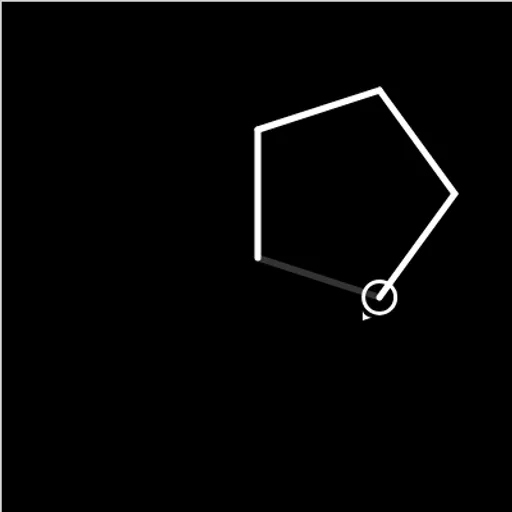
Block Code Turtle Art is a drawing game where a pencil obeys your program. A small turtle sits on a black canvas, and every block you give it, such as move forward 100 or turn right 90, leaves a white line behind. Block Code Turtle Art is one of the most direct ways to see geometry and code meet, since a wrong angle shows up instantly as a lopsided shape.
Drawing a level
Each level shows a faint gray outline and a goal like “draw a square”. You open a category, drag blocks into the workspace and stack them. Press Run Program and the turtle traces your lines at whatever speed the slider is set to.
When the finished picture matches the outline, the game congratulates you and shows the JavaScript behind your blocks. If it does not match, press Reset and adjust a distance, an angle or the order of the blocks.
The ten levels climb from a square and a pentagon to stars, then four stars placed at the corners of a square. Later goals add color and a full moon made of 360 short lines, followed by a crescent. Level 10 is a blank canvas.
Block Code Turtle Art Controls
| Action | Mouse | Touch |
|---|---|---|
| Open a block category | Click Turtle, Loops or another category name | Tap the category name |
| Build the program | Drag blocks into the workspace and snap them together | Drag blocks with your finger |
| Change a distance, angle or color | Click the value on a block and pick a new one | Tap the value and pick a new one |
| Run or clear the drawing | Click Run Program, then Reset | Tap Run Program, then Reset |
| Change drawing speed | Drag the slider between the turtle and rabbit icons | Slide the speed control |
The geometry inside the blocks
The key fact is the total turn rule. To close any simple shape, the turtle must turn a total of 360 degrees. So a shape with n equal sides needs n turns of 360 ÷ n. Students who have memorized exterior angles in class will recognize this right away, and those who have not will discover it by trial.
Stars stretch the idea. A star turns more than one full circle in total, which is why its lines cross. Working out why 144 degrees gives a five-point star is a neat bit of reasoning about multiples of 360.
Loops are the coding lesson. A square drawn with eight separate blocks becomes three blocks with repeat. Then a loop inside a loop can stamp four stars, moving to a new spot between each one with the pen lifted.
Strategy for clean drawings
- Work out the angle with a quick division before you touch the blocks.
- Lift the pen before moving to a new starting point, then put it down again.
- Build one star first, check it, and only then wrap it in an outer loop.
- Drag the speed slider toward the turtle icon to watch a slow, careful trace when a line goes astray.
- For the moon, think about tiny steps and tiny turns repeated many times.
Handy Details
Dragging blocks works with a finger, but the canvas and the workspace sit side by side, so a tablet held sideways or a computer is far more comfortable than a phone. If you enjoyed this, Block Code Music uses the same editor for songs, and Block Code Maze is a good warm-up for younger players.
Tested and updated: